Free template · Excel & PDF
Monthly class attendance sheet
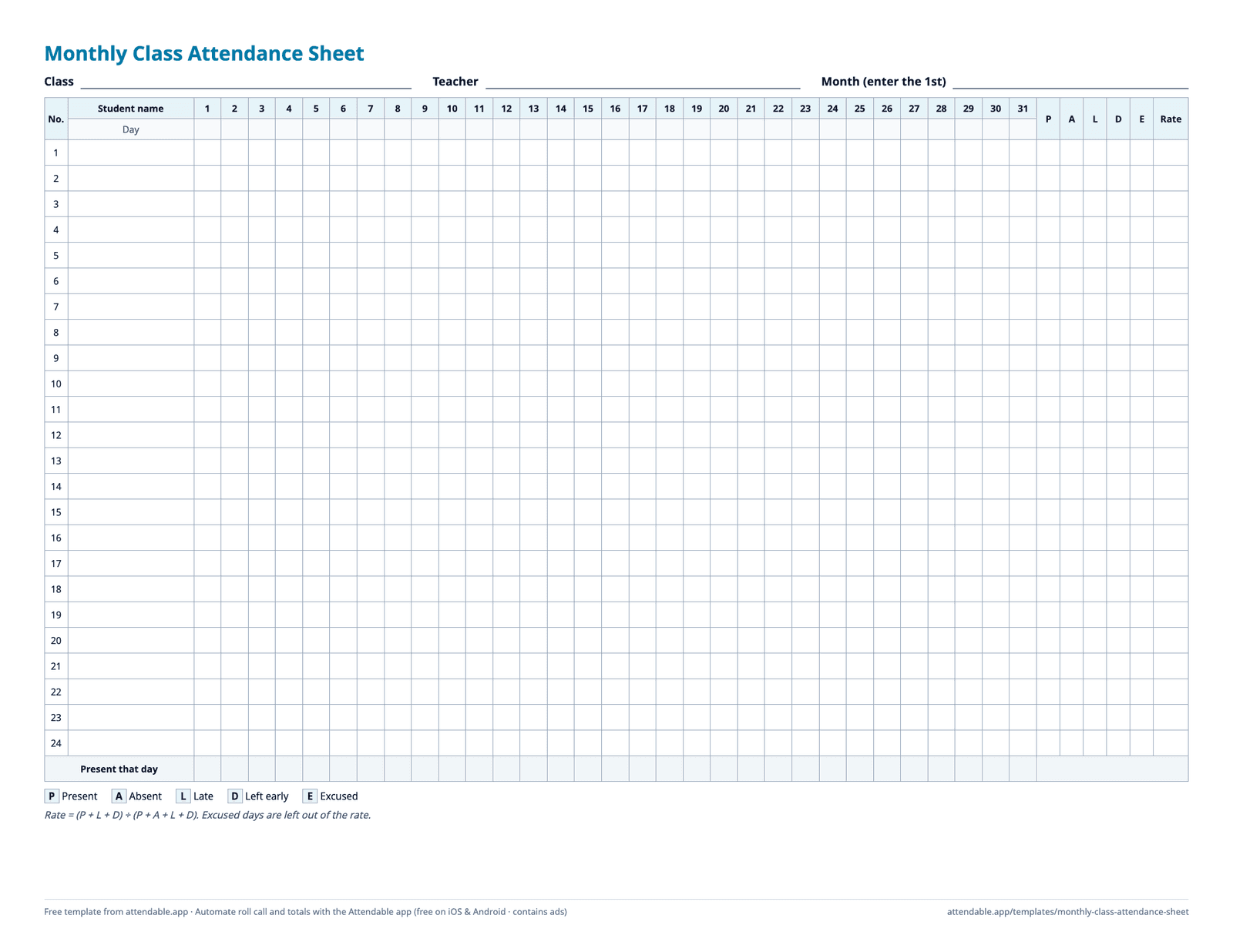
One row per student and one column per day. Enter the first day of the month and the dates, weekdays, totals, and attendance rate fill in for you—or print the PDF and mark it by hand.
Free · No sign-up · Made by the Attendable team · US Letter, landscape ·
What's in the sheet
- 31 day columns. Enter the 1st of the month and the day numbers and weekdays fill in; days the month doesn't have stay blank.
- Five codes from a drop-down list: P Present, A Absent, L Late, D Left early, E Excused.
- Per-student totals for each code and an attendance rate of (P + L + D) ÷ (P + A + L + D). Excused days don't lower the rate.
- A “Present that day” row that counts attendance for each date.
- 30 student rows in Excel and 24 on the PDF. Weekends are shaded, and the sheet prints landscape on one page width.
Codes
- P Present
- A Absent
- L Late
- D Left early
- E Excused
How to use it
- Download the Excel file and type the class name and teacher at the top.
- Enter the first day of the month, for example 12/1/2026, in the Month cell.
- Add student names, then pick a code for each student on each class day.
- Read each student's totals and rate on the right. For a new month, copy the sheet tab and change the Month cell.
When a paper sheet starts to slow you down
- The month-end tally
- Counting codes across 31 columns for every student takes time and is easy to get wrong. The Excel file counts for you; a printed copy doesn't.
- More than one class
- Every class needs its own sheet every month. Following one student across a term means opening several files or flipping through a binder.
- Sharing with a co-teacher
- Only one person can hold the paper. Emailing spreadsheets back and forth leaves everyone unsure which copy is current.
- Times, not just codes
- L tells you a student was late, not when they arrived. If anyone asks later, the sheet can't answer.
Automate it with the Attendable app
Attendable keeps the same roster on your phone and does the counting for you. It's free on iOS and Android and contains ads.
| On the sheet | In the app |
|---|---|
| Write a code in every cell | Swipe a name, or check the whole class at once with a status card |
| Count totals at the end of the month | Attendance rates by period and by student are calculated automatically |
| Write arrival times by hand | The check time is saved when you record attendance |
| Photocopy or email the sheet | Share the class with a co-teacher as an Editor or Viewer |
| Keep the file for reports | Export records to Excel or PDF (export can show a rewarded ad) |


Free on iOS & Android · Contains ads
Read the step-by-step guide: Class attendance for school teachers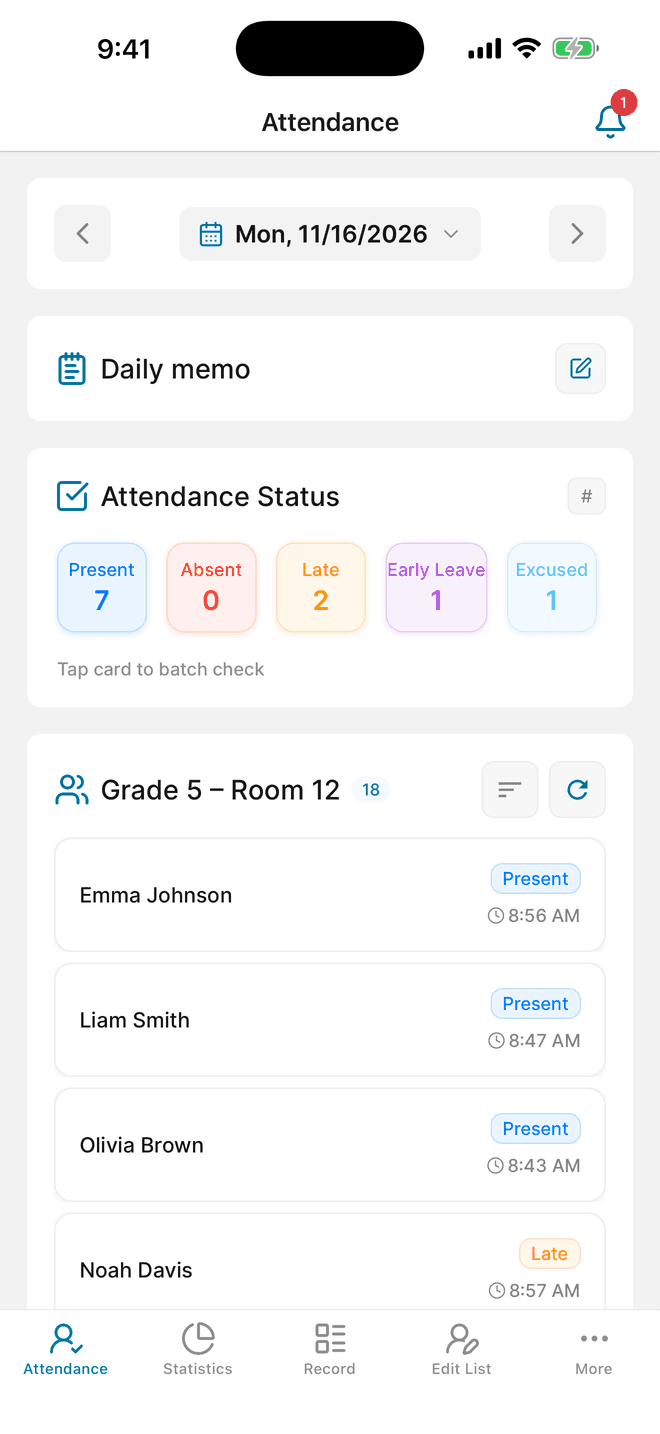
Questions about this template
How is the attendance rate calculated?
Rate = (P + L + D) ÷ (P + A + L + D). Late and left-early days count as attended. Excused days are left out entirely, so they neither raise nor lower the rate.
Can I use different codes?
The totals count the five codes exactly as written. To use other letters, change both the drop-down list (Data validation) and the letters in the total formulas on the right.
Can I import this sheet into the Attendable app?
Not this file directly. The app imports rosters from your contacts or from its own Excel template, which it provides when you add members.