For daycare & preschool teachers
Daily drop-off records, with the time saved for you.
Check each child in at the door and Attendable saves the time with the record. Add pick-up notes in a tap and share the class roster with the other teachers in the room.


Free on iOS & Android · Contains ads
Start with an organizer account. Your members don't all need to sign up.
By the Attendable team ·
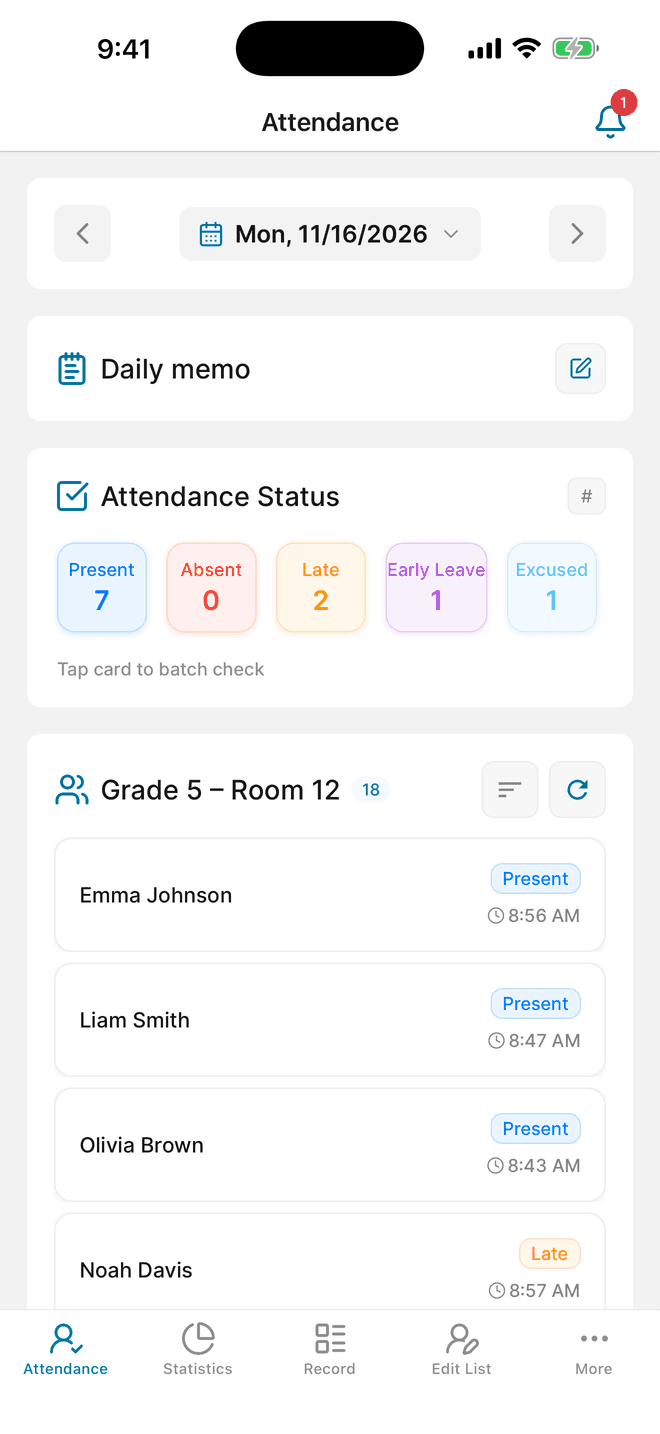
Choose drop-off or pick-up time
Each child has one attendance record per day, and the time is saved when you check them in. Most classes record at drop-off, so the saved time is the arrival time. If your center needs pick-up times instead, record at pick-up. Agree on one approach with your co-teachers so the times mean the same thing every day.
Example check types you can create
- Arrived
- Absent
- Sick
- Late arrival
- Early pick-up
Notes for the classroom
- Save the time automatically
- Turn on the group's automatic time setting. When you check a child in at the door, the current time is saved with the record. If you record it later, open the record and adjust the time.
- Keep pick-up details as memos
- Add memo templates to a status—such as Picked up by grandparent or Leaving at 3:30—so any teacher can add the same details with one tap.
- Use the daily memo for the whole class
- Field trips, a substitute teacher, or an early closing apply to everyone that day. Write them in the group's daily memo; members can't see daily memos.
- Call a family from the record
- Save a guardian's phone number with each child. From the child's attendance record you can call or text that number directly.
A workflow for your next session
01
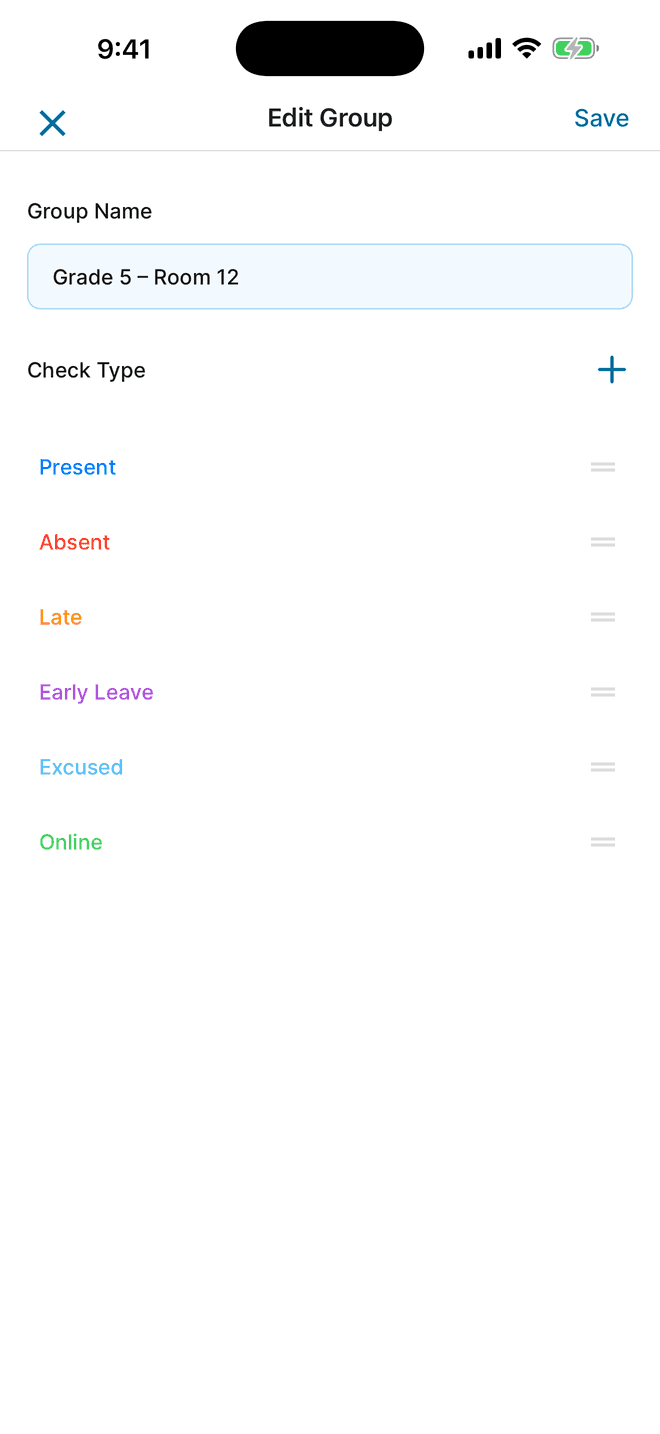
Set up the class roster and statuses
Create a group for each class or age group, and add a guardian's phone number with each child.
- Create a group for each class, such as Sunflower class or Toddlers.
- Add children's names with a guardian's phone number, or import them from contacts or an Excel roster using the app's template.
- Create the statuses your center uses—Arrived, Absent, Sick, Early pick-up—and give each a clear color.
02
Check children in at drop-off
With the automatic time setting on, each check saves the time. The attendance screen then shows every child's status and the time it was recorded.
- Turn on the group's automatic time setting.
- Swipe a child's name as they arrive. For a child at home sick, record Sick and add a short note.
- Add pick-up details with a memo template when a child is collected by someone else or leaves early.
03
Share with co-teachers and review the month
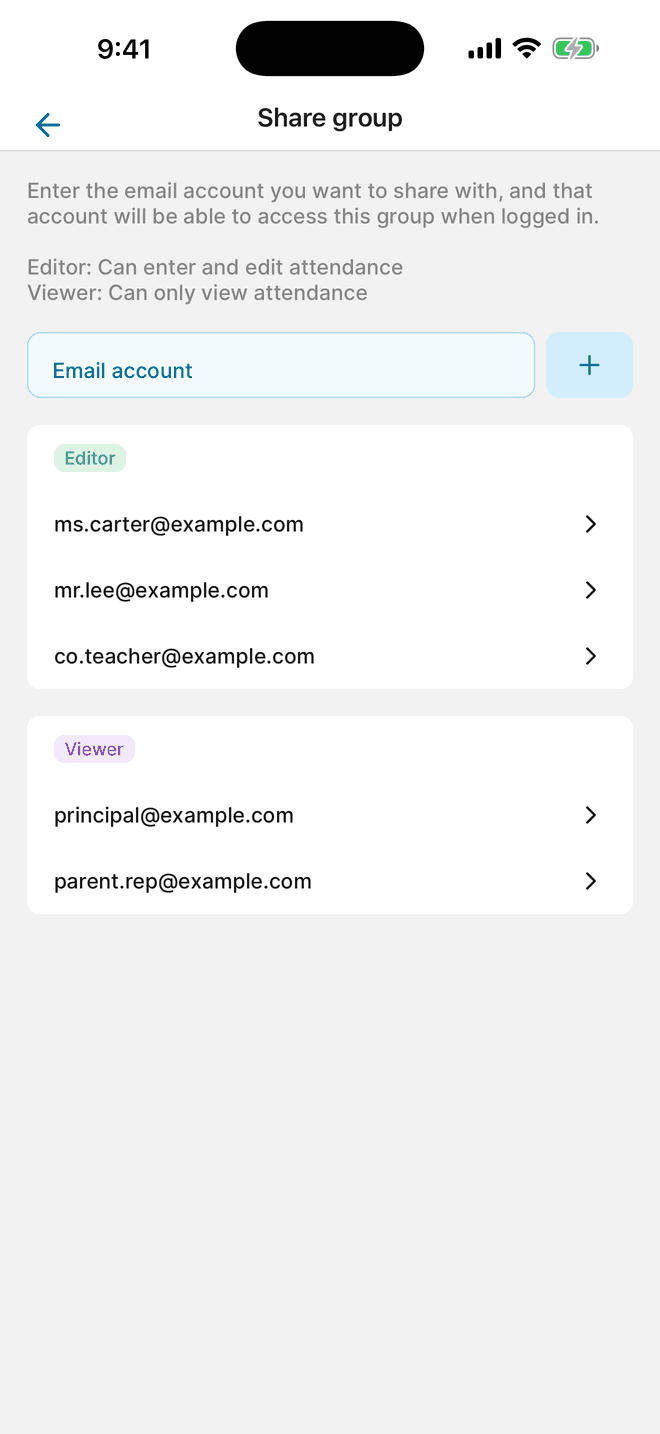
Share the class with the teachers who take attendance and give the director read-only access. At the end of the month, review or export the records.
- As the owner, share the group with co-teachers as Editors so anyone in the room can record attendance.
- Give Viewer access to a director or coordinator who only needs to review.
- Review Statistics for the month, or export the records to Excel from More → Export data (AD). This flow can show a rewarded ad.
Questions before you start
Does Attendable save drop-off times?
Yes. With the group's automatic time setting on, the time is saved when you check a child in. Check in at drop-off to record arrival times, or at pick-up if your center needs pick-up times.
Can several teachers record for the same class?
Yes. The group owner can share the class with other teachers as Editors. A Viewer can review records without changing them.
Do parents need to install the app?
No. Teachers can manage the whole class. Parents only need an account if they want to see their child's records or submit an absence request.
Is there a printable sheet for the classroom?
Yes. The free monthly class attendance sheet has a row per child and a column per day, with monthly totals. Download it as Excel or a printable PDF.
Still on paper for now?
Download a free attendance sheet that matches this workflow, in Excel or as a printable PDF.
Put it into practice at your next session
Download Attendable, create a group, and add your roster.
Free on iOS & Android · Contains ads