For coaches & club organizers
Practice and game attendance, without the clipboard.
Keep one roster per team or squad, check players in at the field, and see who has been coming regularly before you pick a lineup or plan the next session.


Free on iOS & Android · Contains ads
Start with an organizer account. Your members don't all need to sign up.
By the Attendable team ·
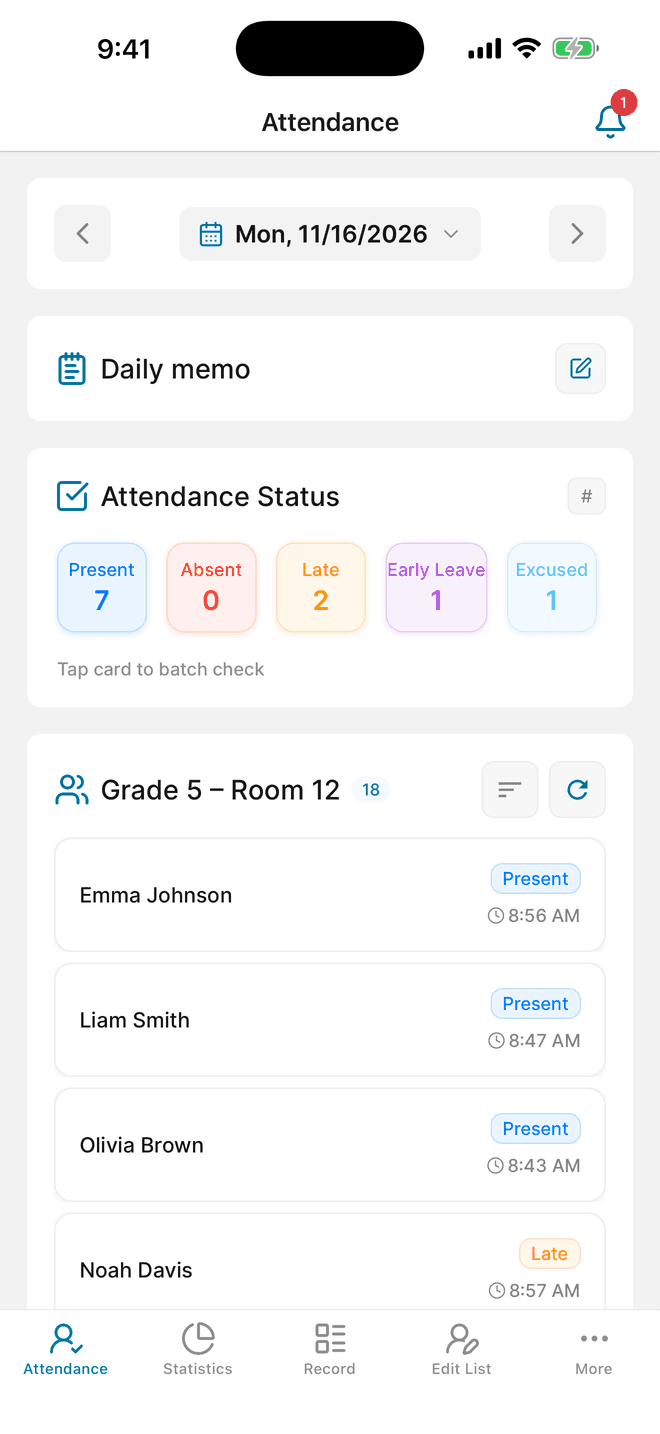
One roster per squad, one label per session
A youth club with an under-12 and an under-15 squad, or a university club that meets for training and matches, can create a group for each roster. Attendable has no separate event categories, so write the session type—Practice or Game—in that date's daily memo.
Example check types you can create
- Present
- Absent
- Late
- Injured
- Excused
Field notes for coaches
- Label every session in the daily memo
- Start the memo with the same word each time—“Practice”, “Game”, or “Tournament”—followed by details such as the opponent or venue. Consistent first words make the daily memo sheet in the Excel export easy to filter.
- Create an Injured status
- A player who shows up but can't train is not the same as an absence. A status such as Injured or Sitting out keeps that visible in the period totals without counting it as Absent.
- Let check-in times settle lateness
- Turn on the group's automatic time setting and the time is saved when you check someone in. When a player arrives after warm-up has started, the recorded time answers the question.
- Know what Statistics can and can't split
- Statistics work by date range, not by memo label. For practice-only or game-only numbers, export the records and filter the daily memo sheet, or use separate date ranges.
A workflow for your next session
01
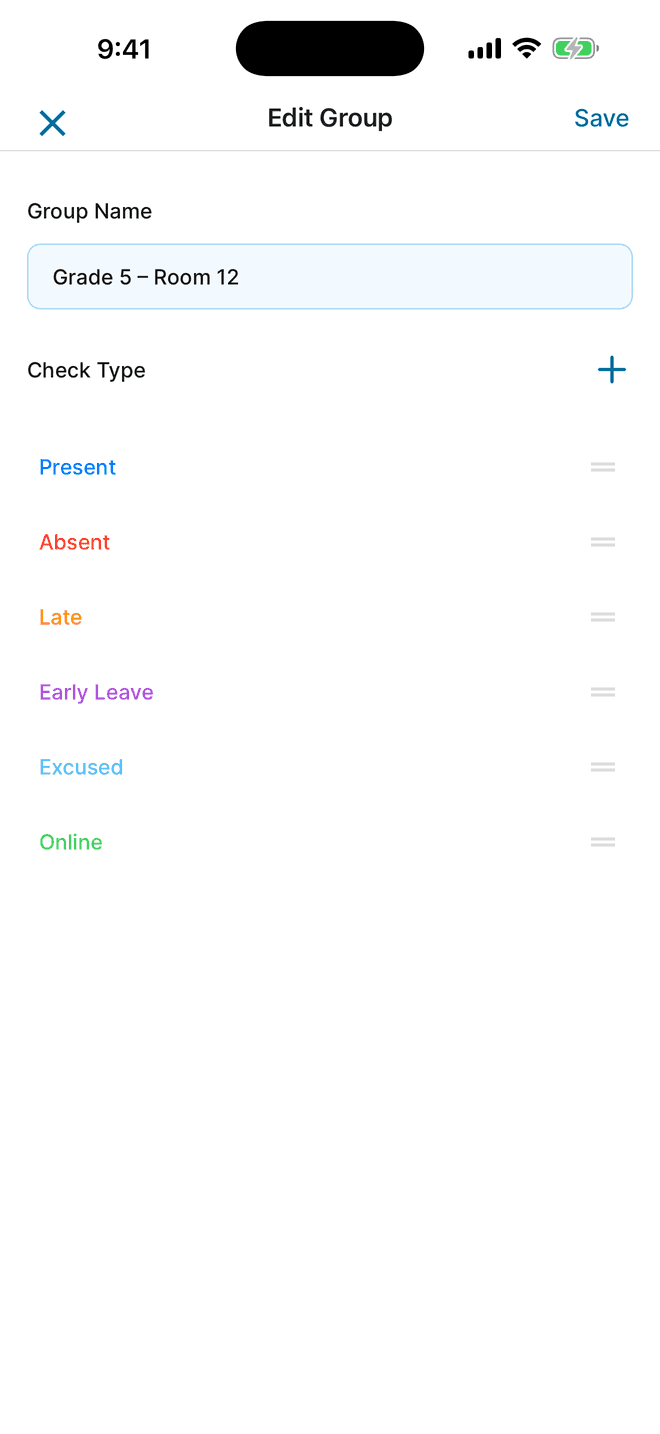
Set up a roster for each squad
Create a group for each team you coach. Each group keeps its own players, statuses, and records, so the under-12s and the senior squad never mix.
- Create a group named after the squad, such as U12 Saturday.
- Add players by typing names, importing from your contacts, or importing an Excel roster using the app's template.
- Create statuses such as Present, Late, Injured, and Excused, and give each a color you can read at a glance outdoors.
02
Check players in at the session
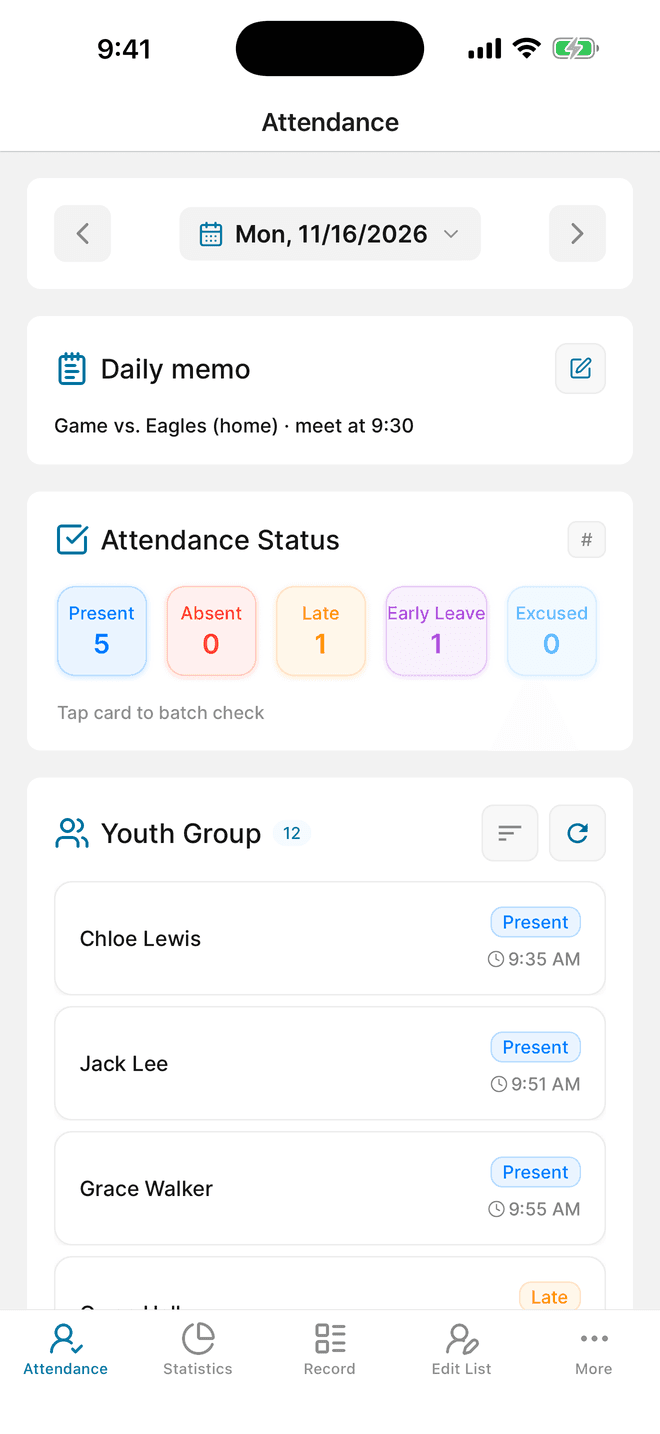
Open the group on the session date. Swipe a name to apply a status, or tap a status card to check every player at once and then change the exceptions.
- When most of the squad is there, tap the Present card under Attendance Status, choose Check All Members, and save.
- Swipe the names of players who are late, injured, or absent to change their status. Add a note if needed.
- Open the date's daily memo and write the session label, for example “Game vs. Eagles, home”.
03
Compare attendance and export the season
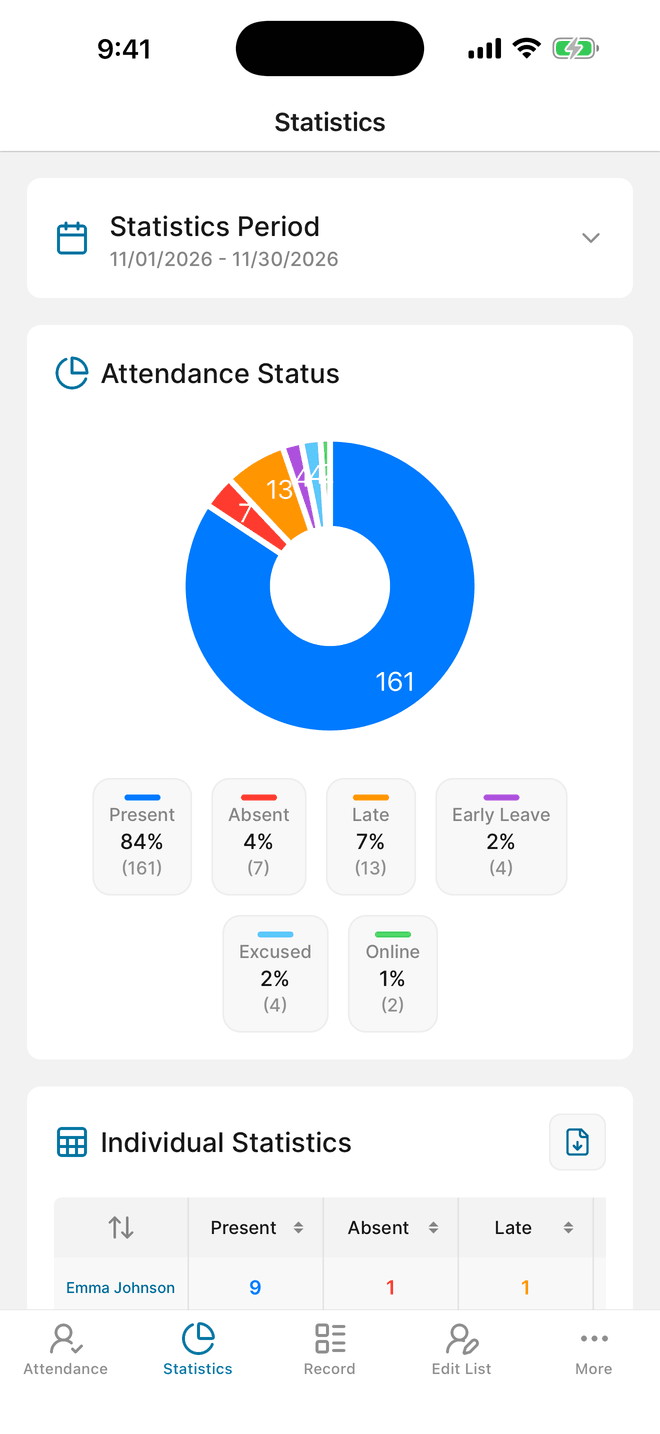
Statistics shows each player's recorded statuses for the period you choose. For a season report, export the records and use the daily memo sheet to separate practices from games.
- Open Statistics and choose a period, such as the current month or season.
- Sort the individual statistics to see who has missed the most sessions.
- Choose More → Export data (AD) to create an .xlsx file with attendance, member, and daily memo sheets. This flow can show a rewarded ad.
Questions before you start
How do I tell practices apart from games?
Attendable doesn't have event categories. Write a label such as “Practice” or “Game vs. Eagles” in that date's daily memo. The Excel export includes a daily memo sheet, so you can filter sessions by label there.
Can assistant coaches take attendance too?
Yes. The group owner can share the team with an assistant coach as an Editor. A Viewer can review records without changing them.
Do players need to sign up?
No. A coach can run the whole roster alone. Players who sign in as members can see their own records and submit an absence or late request for a coach to approve.
Is there a paper sheet for match days?
Yes. The free club & sports practice attendance sheet has a session-type row, so practices and games are counted separately on paper too. It comes as an Excel file and a printable PDF.
Still on paper for now?
Download a free attendance sheet that matches this workflow, in Excel or as a printable PDF.
Put it into practice at your next session
Download Attendable, create a group, and add your roster.
Free on iOS & Android · Contains ads