For small teams & volunteer groups
Who came to the meeting, recorded in a minute.
For a weekly volunteer shift, a study group, or a small team that meets regularly, keep one roster and a quick record of each meeting. Co-organizers can share the work.


Free on iOS & Android · Contains ads
Start with an organizer account. Your members don't all need to sign up.
By the Attendable team ·
Meeting attendance, not timesheets
Attendable records who attended on each date and, if you turn it on, the time you checked them in. It doesn't record clock-out times or calculate hours, so it suits meetings, volunteer shifts, and study sessions rather than payroll.
Example check types you can create
- Attended
- Absent
- Late
- Online
- Excused
Tips for organizers
- Use an Online status for hybrid meetings
- If some people join by video, record them as Online. Period totals then separate in-person and remote attendance.
- Collect reasons before the meeting
- Members who sign in can submit an absence or late request with a reason. An organizer approves it, and the record is filled in automatically.
- Keep several teams in one app
- Create a group per team or shift. Hide groups that are on a break, reorder the rest, and add the ones you use most to a home screen widget—a medium widget shows up to six groups.
- Write the agenda in the daily memo
- Note the topic or location in the date's daily memo so you can find a particular meeting later, even months on.
A workflow for your next session
01
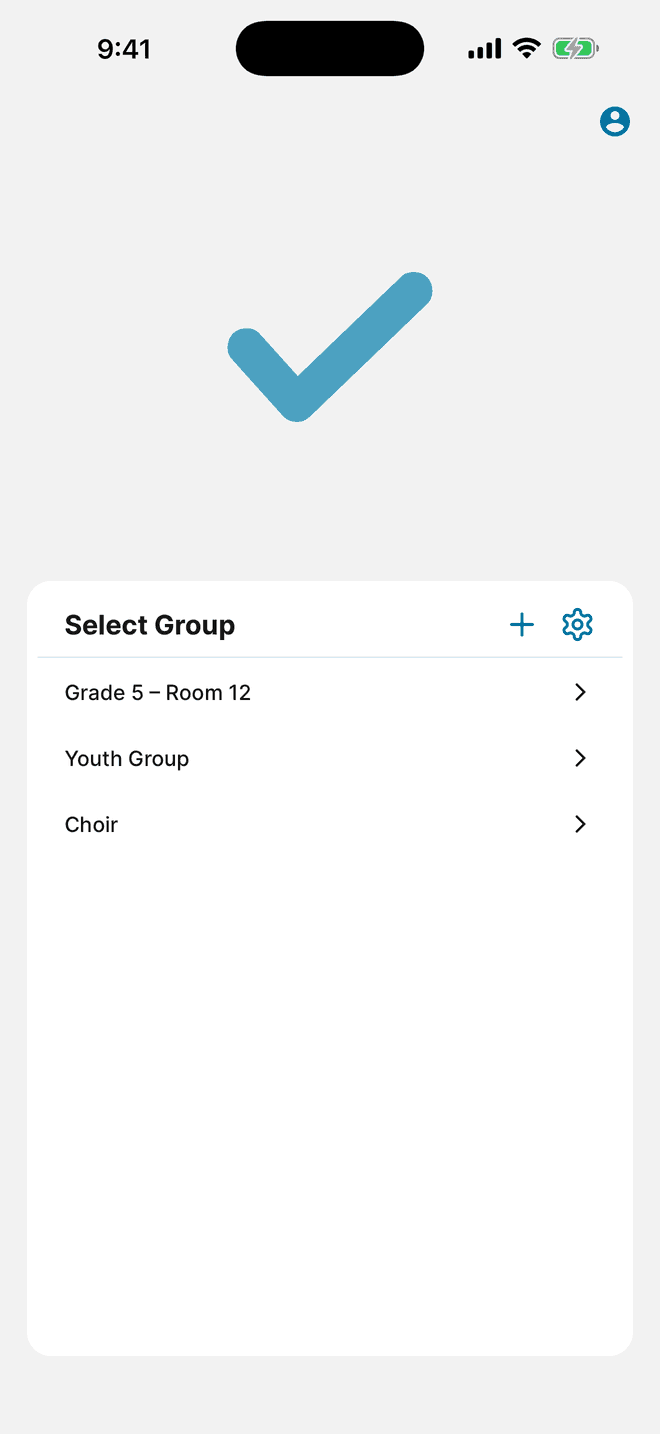
Create a group for each team
Each group keeps its own members, statuses, and records. Start with the team you meet most often.
- Create a group per team, volunteer shift, or study group.
- Add members from your contacts or an Excel roster using the app's template.
- Add statuses such as Attended, Online, and Excused.
02
Record the meeting
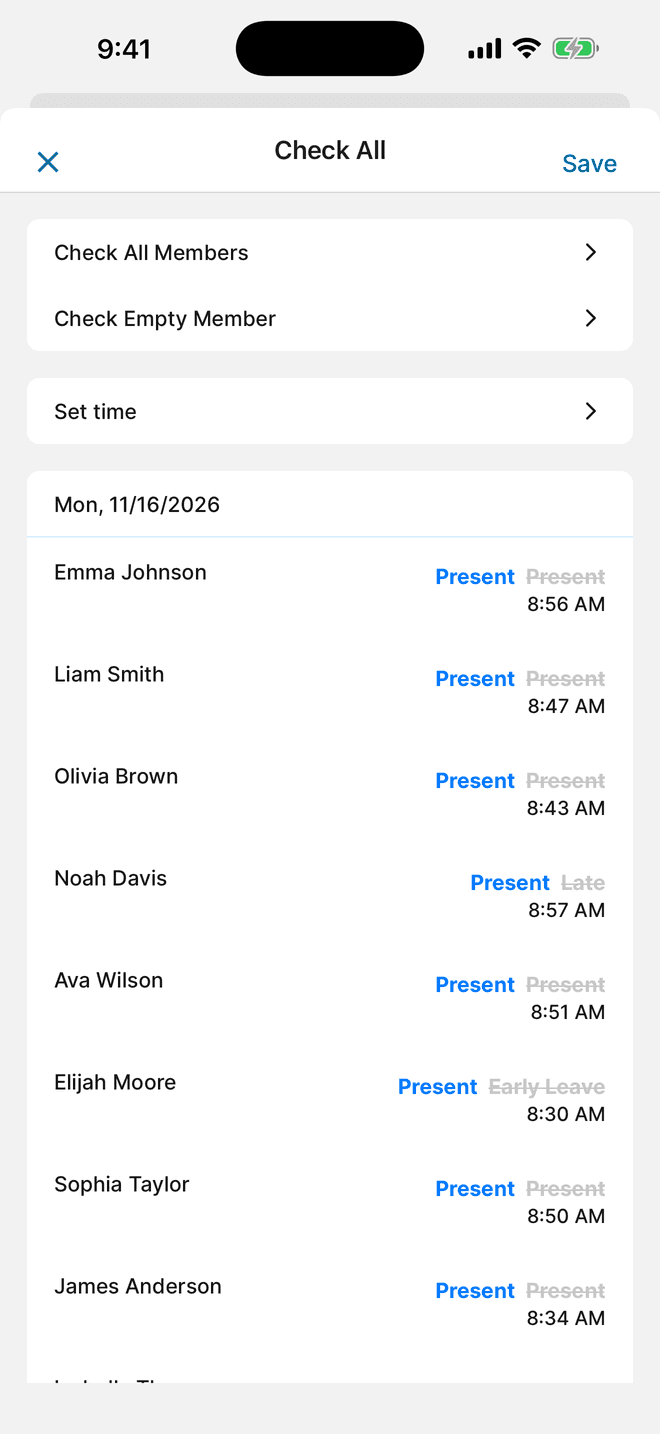
Open the group on the meeting date. Checking everyone at once and fixing the exceptions is usually the fastest way.
- Tap the Attended card under Attendance Status, choose Check All Members, and save.
- Change people who joined by video to Online, and late arrivals to Late.
- Add the meeting topic to the date's daily memo.
03
Share the roster and review attendance
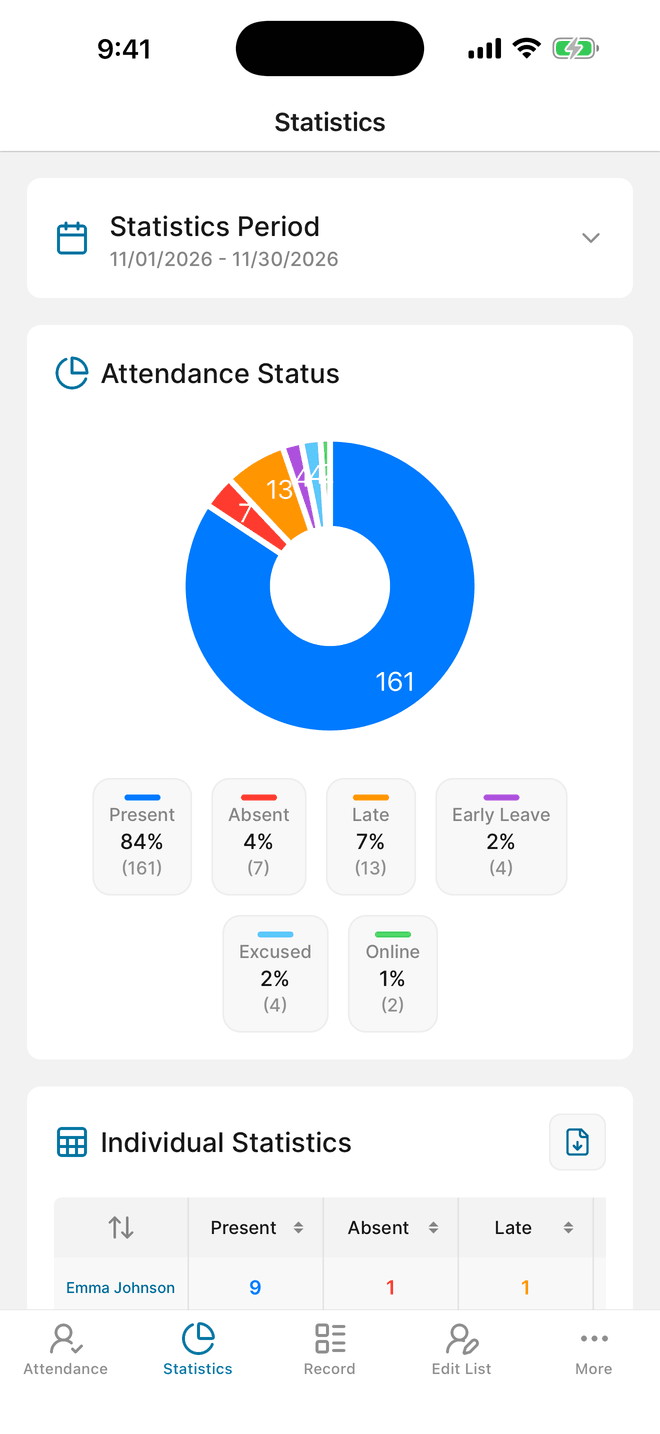
Give co-organizers access to the same group, and review attendance rates for any period.
- Share the group with a co-organizer as an Editor, or as a Viewer for read-only access.
- Open Statistics to see each person's attendance for the period you choose.
- Export to Excel from More → Export data (AD), or save a PDF from Statistics. Both can show a rewarded ad.
Questions before you start
Can Attendable track work hours?
No. It records an attendance status for each date and can save the time you checked someone in. It doesn't record clock-out times or calculate hours worked.
Can people who join online be counted?
Yes. Create a status such as Online and use it for anyone who joins by video. It appears as its own count in Statistics.
Can two organizers share the same roster?
Yes. The group owner can add a co-organizer as an Editor. Viewers can review the records without changing them.
Is there an ad-free version?
Not yet. Attendable is free and contains ads. There is no paid ad-free plan.
Put it into practice at your next session
Download Attendable, create a group, and add your roster.
Free on iOS & Android · Contains ads